> For the complete documentation index, see [llms.txt](https://docs.apolo.us/index/llms.txt). Markdown versions of documentation pages are available by appending `.md` to page URLs; this page is available as [Markdown](https://docs.apolo.us/index/examples-use-cases/generic/ml-model-lifecycle-on-apolo-platform.md).
# ML Model Lifecycle on Apolo Platform
This guide demonstrates how to manage a complete machine learning workflow on the Apolo platform, from environment setup to model deployment. We'll walk through the entire ML lifecycle using **Apolo Flow**, a powerful declarative workflow system ([full documentation here](https://docs.apolo.us/index/apolo-flow-reference)). While this guide uses the command-line interface (CLI), these operations can also be performed through the Apolo Console GUI for those who prefer a graphical experience using our built-in Apps such as Jupyter, MLFlow and Apolo Jobs.
We'll use a modified version of PyTorch's "Name Classification using RNN" example (originally from [PyTorch's tutorials](https://pytorch.org/tutorials/intermediate/char_rnn_classification_tutorial.html)) to showcase how Apolo Flow simplifies the ML lifecycle management.
### Prerequisites
* Apolo CLI tools
* Access to an Apolo platform instance
* Basic understanding of ML workflows
### Understanding Apolo Flow
Apolo Flow is a declarative workflow system that allows you to define your entire ML infrastructure as code. The `.apolo/live.yml` file in this example is a Flow configuration that defines:
1. Container images for both training and serving
2. Storage volumes for data, code, and models
3. Jobs for training, serving, and monitoring
4. Dependencies between components
By using this declarative approach, you can ensure reproducibility and easily share workflows with team members. While we'll use the CLI in this guide, all these operations can also be performed through the Apolo Console GUI.
### Step 1: Clone the Example Repository
Start by cloning the example repository that contains all the necessary code and configuration:
```bash
# Clone the model lifecycle example repository
git clone https://github.com/neuro-inc/model-lifecyle-example
cd model-lifecyle-example
```
The repository contains:
* `.apolo/live.yml` - Workflow definition file
* `scripts/` - Training and serving code
* `scripts/Dockerfile` - Container definition for training
* `scripts/Dockerfile.server` - Container definition for serving
#### Important Note About Compute Presets
Before proceeding, review the `live.yml` file and pay attention to the `preset` fields for both building images and running jobs. These presets define the computational resources allocated (CPU, RAM, GPU) and might have different names in your specific Apolo cluster.
```yaml
# Example preset definitions in live.yml
images:
train:
build_preset: cpu-large # This preset name may differ in your cluster
jobs:
train:
preset: cpu-large # This preset name may differ in your cluster
```
To find the correct preset names for your cluster:
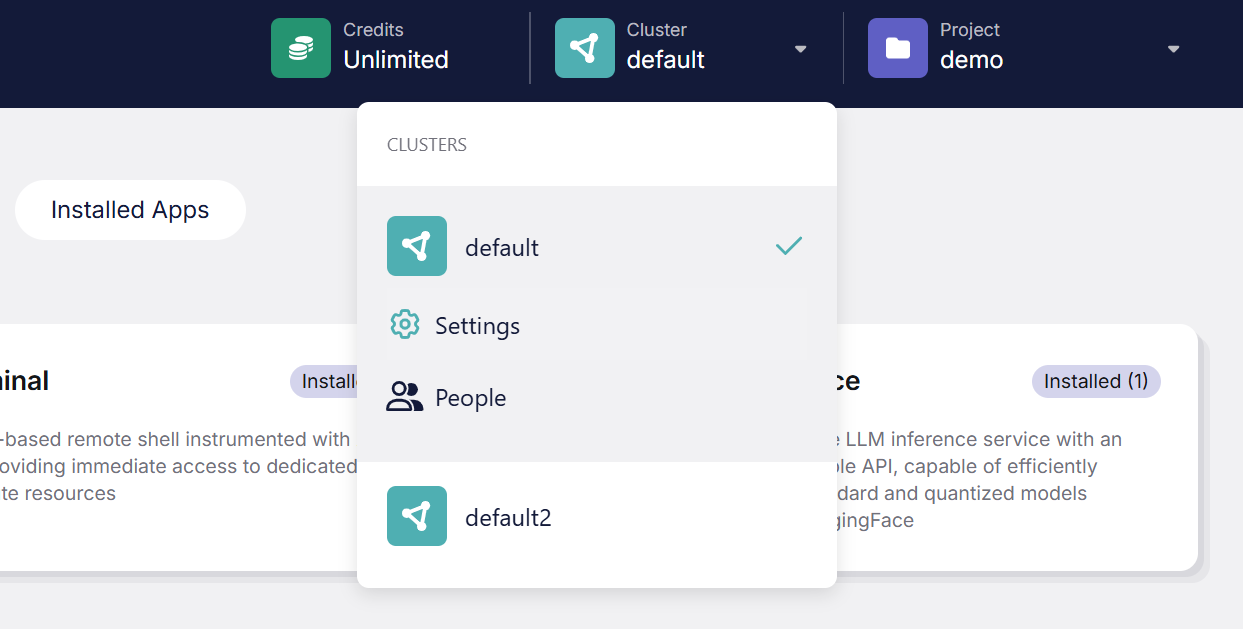
1. Navigate to your Apolo Console
2. Go to Cluster > Settings > Resources
3. Note the available preset names
4. Modify the relevant fields in your `live.yml` file accordingly
Using the correct preset names will ensure your jobs have the appropriate resources and can run successfully in your environment.
### Step 2: Setup Environment
Ensure you have the Apolo CLI tools installed:
```bash
# Install pipx if not already available (manages Python applications)
pip install -U pipx
# Install the complete Apolo toolkit with isolated dependencies
pipx install apolo-all
```
### Step 3: Authentication and Resource Preparation
Log in to your Apolo platform instance:
```bash
# Log in to your organization's Apolo instance
# For custom clusters, specify the URL after the command:
# apolo login https://api.apolo.yourcompany.ai/api/v1
apolo login
# Create a persistent 2GB disk for MLflow's backend storage (if not already done)
# This ensures experiment tracking data persists across sessions
apolo disk create 2GB --name global-mlflow-db
```
### Step 4: Launch MLflow Tracking Server
Start the MLflow service to track your experiments, parameters, metrics, and artifacts:
```bash
# Start the MLflow tracking server using the configuration from live.yml
# This will output a URL where you can access the MLflow UI
apolo-flow run mlflow
```
The MLflow server provides:
* A web UI for experiment comparison
* Metadata storage for runs
* Artifact storage for models and other outputs
* A REST API for logging from your training jobs
MLFlow interface displaying a list of experiments
### Step 5: Prepare Training Data
Download and prepare the training data:
```bash
# Create data directory and download sample dataset
mkdir -p data && curl https://download.pytorch.org/tutorial/data.zip -o data/data.zip
unzip data/data.zip -d data/names && rm data/data.zip
```
> **Important Note About Data and Code Management**:
>
> The Apolo platform automatically synchronizes local directories with remote storage when you use the `local` parameter in the `volumes` section of the `live.yml` file. This means you don't need to manually copy code or data files to the container during build time. When you run a job, Apolo will ensure all the local files defined in your volumes are available in the container at the specified mount points.
>
> For example, in our `live.yml`, we defined:
>
> ```yaml
> volumes:
> data:
> remote: storage:/$[[ project.project_name ]]/$[[ flow.project_id ]]/data
> mount: /project/data
> local: data/names
> ```
>
> This automatically syncs the contents of your local `data/names` directory to the remote storage, which is then mounted at `/project/data` in the container.
### Step 6: Build Training Environment
Build the Docker image that contains all dependencies for training:
```bash
# Build the training image defined in the live.yml file
# This uses the Dockerfile at scripts/Dockerfile
apolo-flow build train
```
The training image includes:
* Python environment
* PyTorch framework
* Custom code dependencies for the RNN name classifier
### Step 7: Train the Model
Launch the training job which will:
* Use the data volume mounted at `/project/data`
* Save the model to the models volume
* Log metrics and parameters to MLflow
```bash
# Run the training job defined in live.yml
# This executes train.py with the configured volumes and environment
apolo-flow run train
```
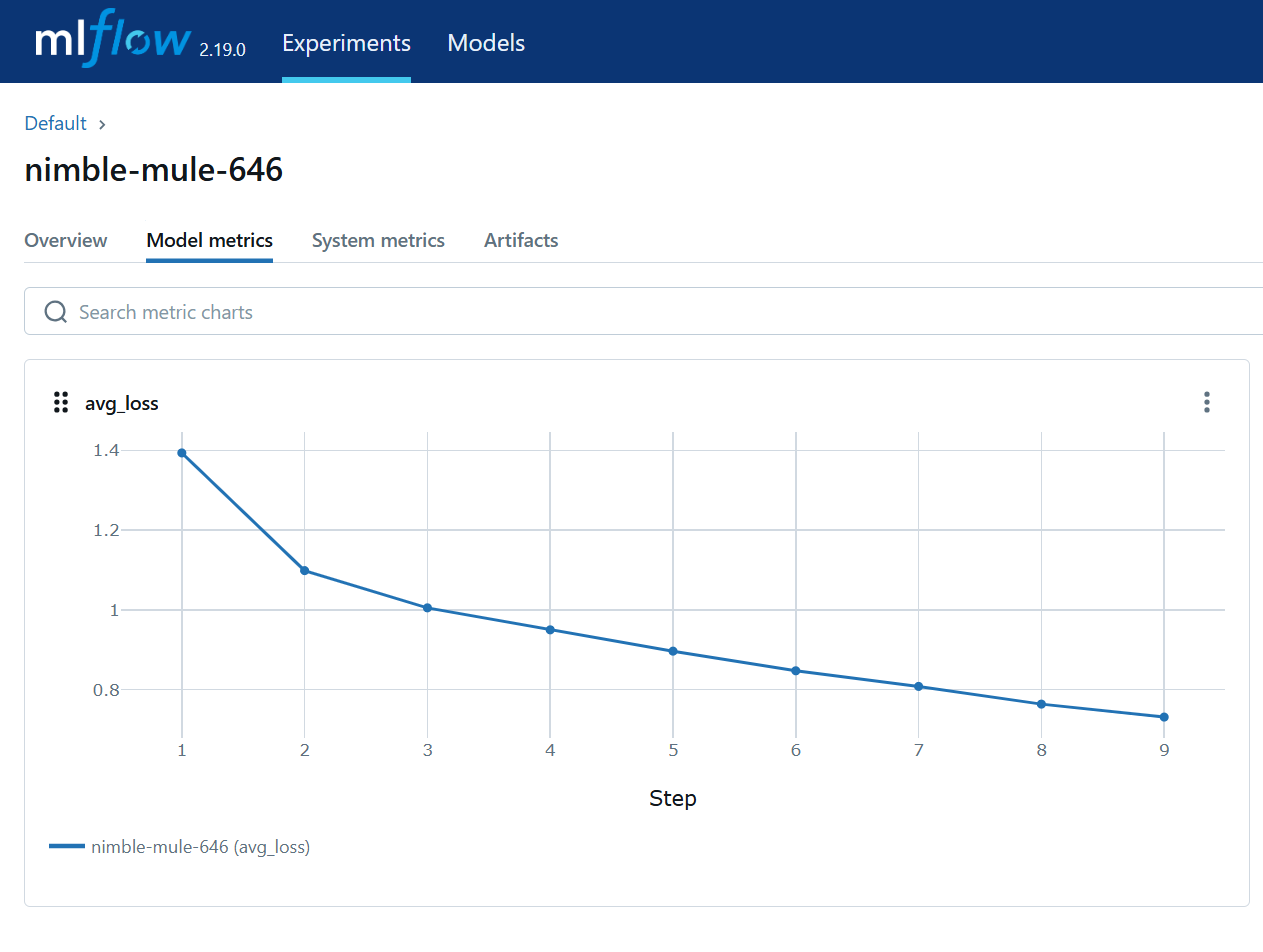
During training, you can:
* Monitor progress in the MLflow UI
* Access logs via `apolo-flow logs train`
Average Loss metric decrease displayed in MLFlow
Model training artifacts such as the weights file and metadata files displayed on MLFlow
### Step 8: Deploy Model Serving API
Deploy the trained model as a RESTful API service:
```bash
# First build the serving image with the serving dependencies
apolo-flow build serve
# Launch the model serving API
apolo-flow run serve
```
The serving job:
* Loads the model from the shared models volume
* Exposes a FastAPI endpoint for predictions
* Provides Swagger documentation at the `/docs` endpoint
* Can be scaled or updated independently of training
#### Accessing Your Deployed Model API
After running `apolo-flow run serve`, you'll see output in your terminal with details about the deployed service. Look for the "Http Url" in the output—this is the address where your model API is now available.
When you open this URL in your browser, you'll see a simple "service is up" message, confirming that the API is running successfully.
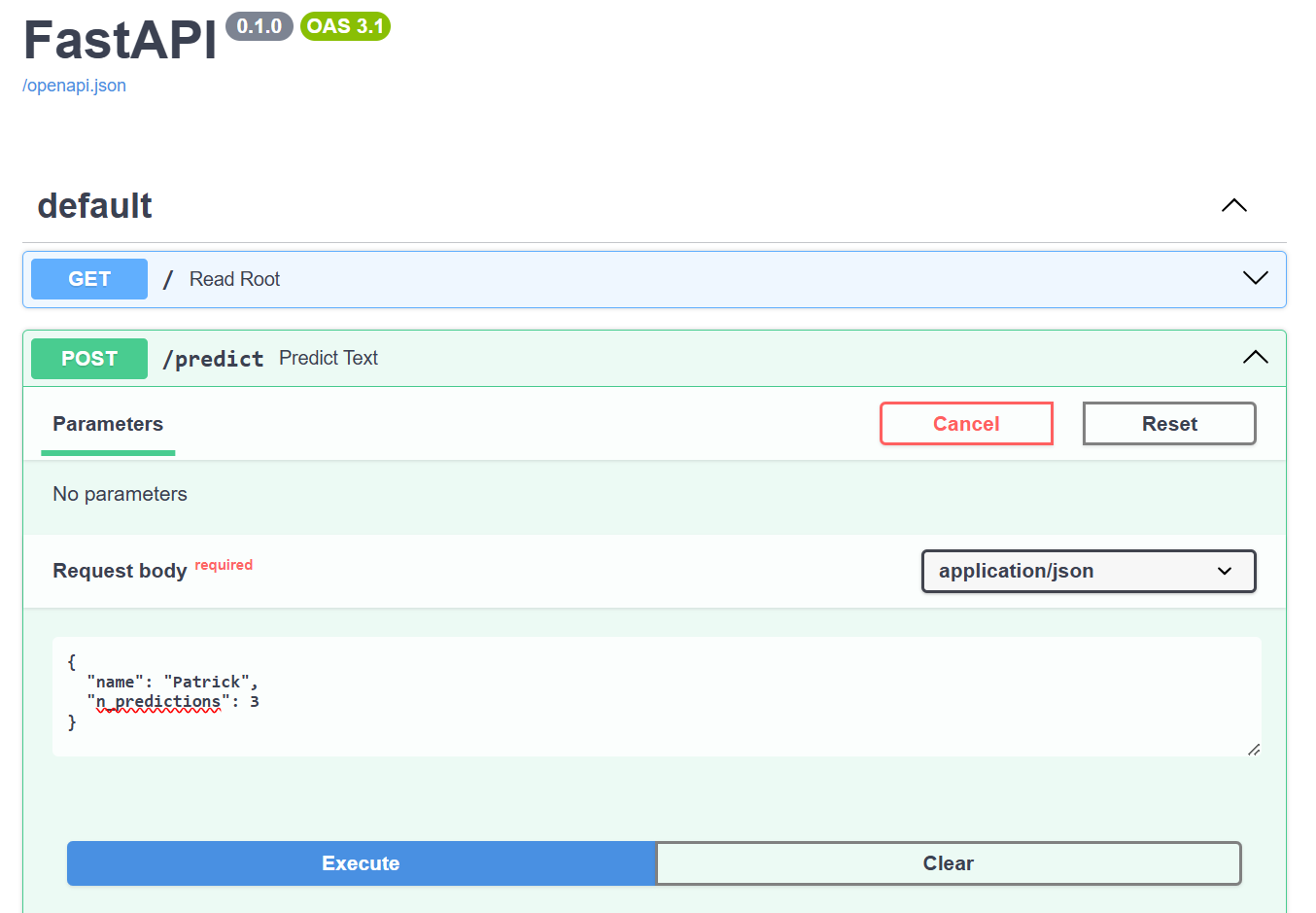
To interact with your model, add `/docs` to the end of the URL. This will take you to an automatically generated API documentation interface powered by FastAPI and Swagger UI. Here, you can:
1. See all available endpoints (in this example, the `/predict` endpoint)
2. Test the model directly from your browser by clicking on the endpoint
3. Expand the endpoint details, click "Try it out", and provide a sample input
4. Execute the request and view the model's predictions
For example, you can submit a name like "Patrick" along with the number of predictions you want, and the model will return the most likely country origins for that name based on its training.
### Additional Workflows
The configuration also supports:
```bash
# Launch a Jupyter notebook server for interactive development
apolo-flow run jupyter
```
### Monitoring and Management
```bash
# List all running jobs
apolo ps
# View logs from a specific job
apolo-flow logs serve
# Stop a running job
apolo kill serve
```
This workflow demonstrates the power of declarative ML pipelines on Apolo, enabling reproducible, scalable, and production-ready machine learning workflows. The RNN name classifier example shows how even sophisticated deep learning models can be easily trained and deployed using the platform's orchestration capabilities.